
01 / THE GETAWAY
The bell has left the building.
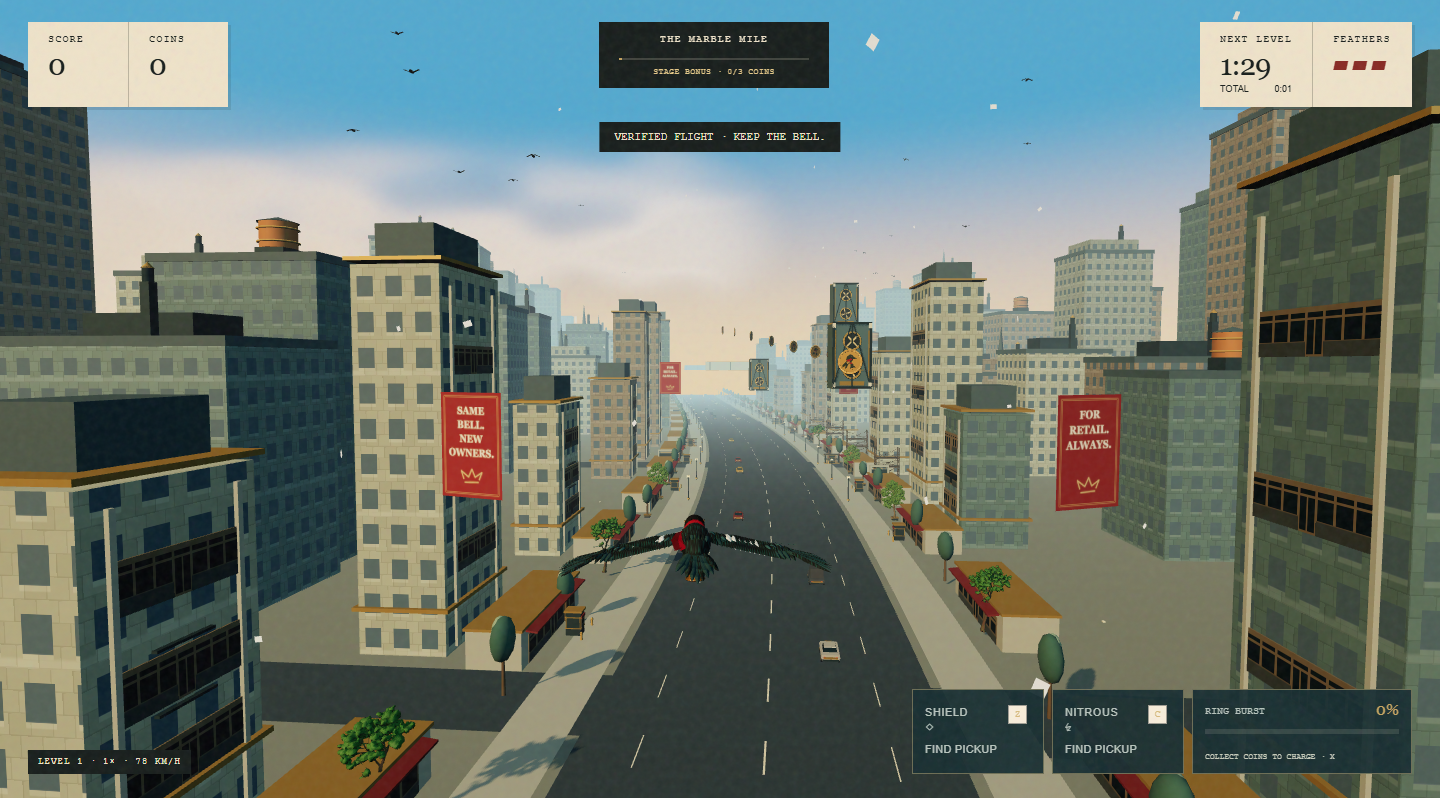
Jack is a magpie with an eye for brass and a stolen opening bell. The Getaway is Belljack’s 3D browser flight game: steer through the financial district, collect brass coins, avoid the city’s increasingly determined patrols, and keep flying with your feathers intact.
Forward flight is automatic. You choose the line through it. Bank, climb, dive and glide to find a safe route; spend collected abilities when an opening matters. The full heist moves through ten districts, from daylight into night and back to dawn.
About this edition. This handbook describes the current project build. Online availability depends on the version and services running on the site. Optional encounters and modes can be switched off. The game’s own mode, verification and reward status messages take precedence over an example here.
Game points, collected coins and score multipliers describe your flight. They are not wallet balances or token entitlements. Belljack is an original fictional heist and an independent project.
02 / YOUR FIRST FLIGHT
From rooftop to takeoff.
- Open Take flight. Choose the available play option. If you are signed out, the site directs you through wallet sign-in.
- Connect your own wallet and complete sign-in. Connecting the wallet and authenticating your Belljack session are separate steps. Read the request in your wallet, approve the sign-in message when it matches your intended session, and return to the original browser tab. Complete any required profile step shown by the account flow.
- Wait for the account and city to load. Start becomes available after the game has the account and course information it needs. Loading failure shows a Retry option.
- Choose your flight. Start with The full heist at level one, or use Training to practise a particular district. Daily Express appears when available.
- Set your controls. Keyboard and touch are ready to use. Settings offers mouse steering, mobile arrow buttons and lighter graphics.
- Fly the first line. Make small steering inputs, follow reachable coin trails and move before a red warning becomes a shot. Save a charged Ring Burst for a useful opening.
- Read the result. After your run, allow the verification message to finish. Visit your account for the stored flight record, or choose Fly again.
A free flight still requires wallet sign-in. It does not require buying $JACK. The current public configuration is prelaunch and does not specify a live JACK contract.
03 / CONTROLS
Keep your wings.
| Action | Keyboard | Touch |
|---|---|---|
| Bank left / right | ← / → or A / D | Drag the left pad sideways, or hold an arrow button. |
| Climb / dive | ↑ / ↓ or W / S | Drag the pad up / down, or use the arrow buttons. |
| Glide | Hold Space or Left Shift | Hold Glide. |
| Ring Burst | X | Tap the charged Ring Burst button. |
| Shield | Z | Tap Shield when ready. |
| Nitrous | C | Tap Nitrous when ready. |
| Pause ordinary flight | Esc or P | Use the pause control. |
Hold a direction to steer; release it to level your wings. In Settings → Steering, choose Mouse + keyboard to steer with the pointer. The centre has a dead zone so small pointer movements do not constantly change your line. Keyboard controls remain available.
On mobile, Settings → Mobile steering switches between Drag to steer and Arrow buttons. Use whichever gives you more precise control. The on-screen ability buttons show whether an ability is ready.
Live modes have different rules. Live matches and earning flights cannot be paused. Their pause control becomes Forfeit and asks for confirmation. Hiding the tab or losing window focus during those flights produces an immediate DNF. Check the mode before leaving the window.
04 / FLIGHT & ABILITIES
Choose a line. Keep an exit.
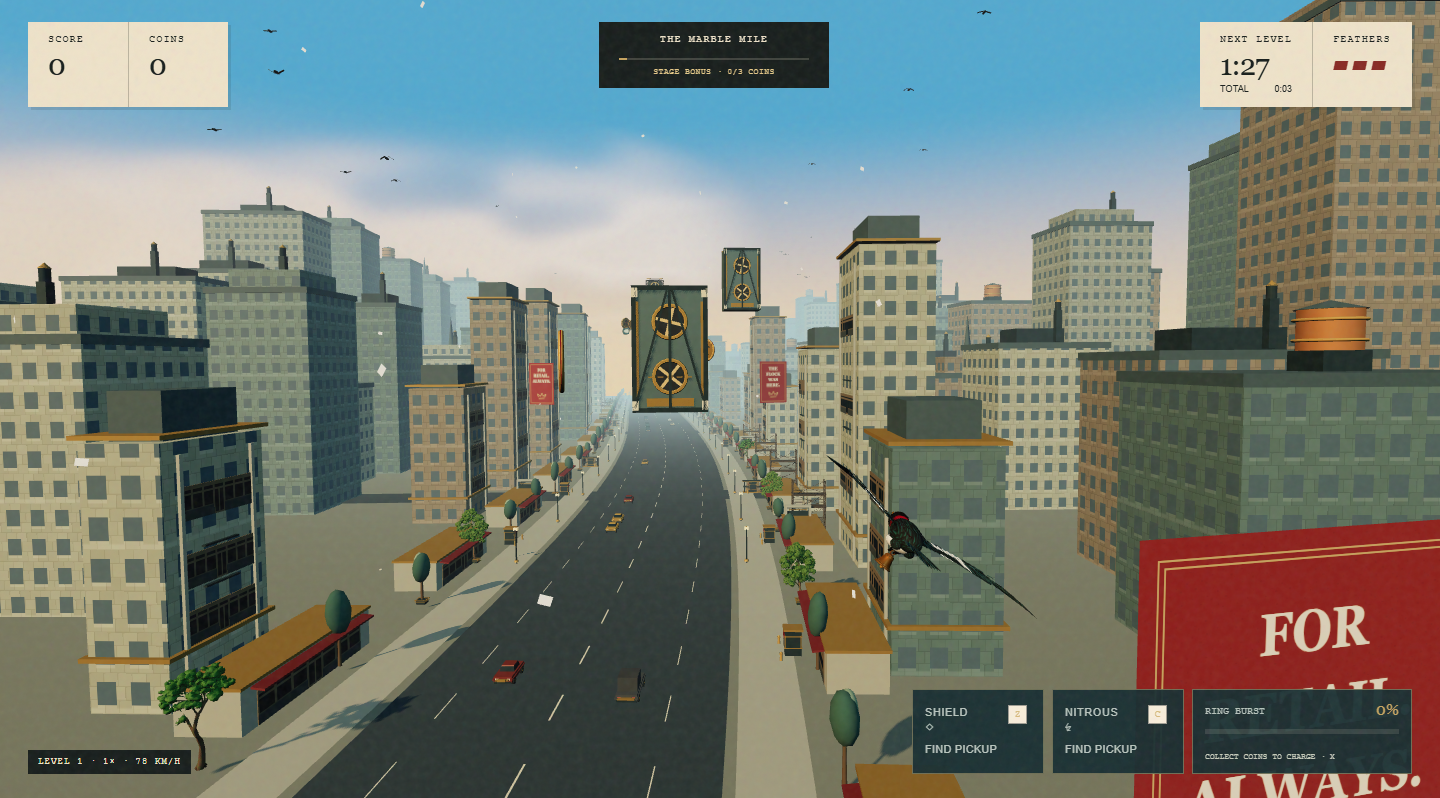
Bank, climb and glide
Jack keeps moving forward while you steer horizontally and vertically. A dive builds speed; a climb spends it. Glide changes the feel of the flight while held, and releasing it returns to normal flying. Steer early enough to pass around, above or below an obstacle instead of correcting at the last instant.
Coin trails offer a useful line through the district, but collecting every coin is not required. If a trail would put you into a warning or a solid obstacle, protect your remaining feathers first.
Ring Burst
Brass coins fill the Ring meter. Each ordinary pickup supplies 12 charge, so nine pickups fill an empty meter to 100. Press X or tap the ready Ring button to spend the charge. The burst clears nearby light threats and can hit a boss ahead when the encounter allows it.
Ring is a limited-range tool, not a shield against the whole city. Scaffolds, partial bridges and armored convoys must still be flown around. Use the HUD’s readiness and encounter prompts to time it.
Shield and nitrous
Cyan shield cells and amber nitrous cells supply the corresponding perks. A ready shield protects against one hit for up to five seconds. Nitrous provides a three-second boost. Perks have a ten-second recharge; the buttons show their state. A short boost is useful only when the line ahead is clear.
Feathers and hits
You start with three feathers. An unprotected hit removes a feather; three hits end the run. Brief protection after a hit prevents immediate repeated damage, but it does not make an occupied route safe. Move away from the source before committing to the next pickup.
05 / THE TEN DISTRICTS
The city’s ten bad ideas.
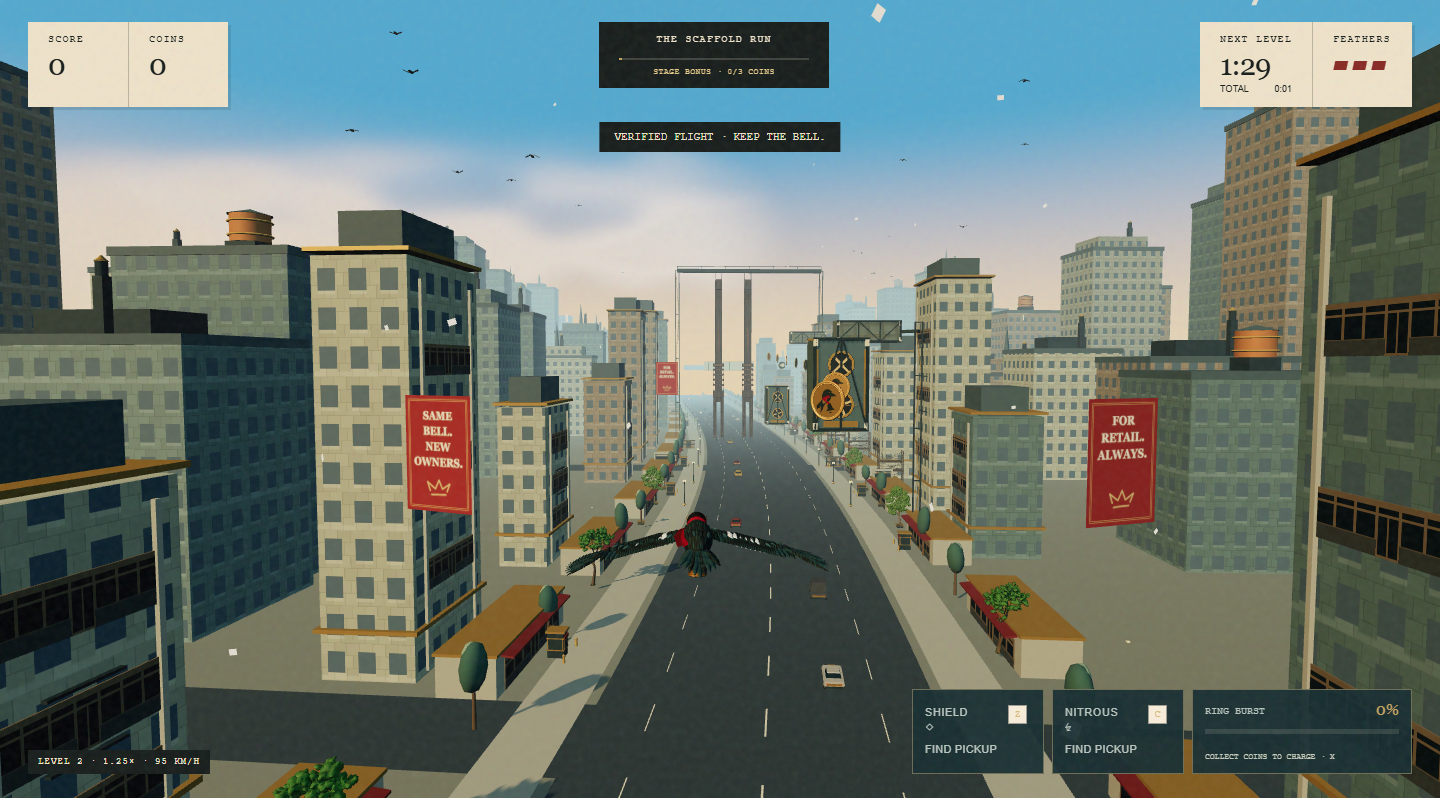
Each stage lasts 90 seconds of game time. Survive it to advance. A frozen three-second countdown gives you a breath between districts; score and remaining feathers carry over. The base campaign contains fifteen minutes of stage time, plus transitions.
| District | Light | Multiplier | What to prepare for |
|---|---|---|---|
| 01 · The Marble Mile | Day | 1.00× | Learn the scaffold gaps and your basic flight line. |
| 02 · The Scaffold Run | Day | 1.25× | Partial bridges join the structural obstacles. |
| 03 · Crossing the Flock | Day | 1.50× | Birds cross the route alongside structures. |
| 04 · The Paper Patrol | Late day | 1.80× | Shooters add aimed warnings and projectiles. |
| 05 · The Patrol Captain | Sunset | 2.10× | Drones, patrol fire and a captain encounter. |
| 06 · The Brass Works | Dusk | 2.40× | A faster industrial route with mixed threats. |
| 07 · The Searchlight City | Night | 2.80× | Searchlights join the patrol mix. |
| 08 · The Moving Convoy | Night | 3.20× | Armored convoy obstacles demand a clear route. |
| 09 · The Last Watch | Predawn | 3.60× | Dense combined patrols and late-game pressure. |
| 10 · The Bellkeeper | Dawn | 4.00× | The final district and Bellkeeper encounter. |
The current stage definitions increase speed and tighten obstacle spacing as the campaign progresses. New threat types join the mix across later districts. After stage ten, ordinary free flight can continue into overtime, cycling through districts with capped speed and a maximum 4× multiplier. A timed challenge or room uses its own ending rules.
Training lets you start at a selected district. Its records remain separate from a full-heist run. The 27 September v14 release applies an exact 20% speed increase over its previous baseline, retains cumulative hazards through level ten and adds patrol pressure from level five. These changes are live.
06 / READ THE DANGER
The warnings are there for a reason.
- Scaffolds, turbine platforms and partial bridges: find the open side, height or gap. These are structural obstacles; Ring cannot remove them.
- Birds and drones: watch the moving line they occupy. Keep room to change direction instead of chasing every pickup.
- Shooters and target warnings: the marker tracks Jack at first, then turns red when the patrol locks its aim. Break away from that fixed lane before the shot arrives; continuing in the same direction can put you in its path.
- Searchlights: recognise the night-stage threat pattern and keep attention on the route, not only the light effect.
- Armored convoys: choose a route around them. A charged Ring does not make a solid convoy passable.
- Boss encounters: avoid incoming attacks and use the encounter’s opening to ring. The Captain and Bellkeeper demand timing as well as steering.
Newer optional district mechanics can add warnings, opportunities and temporary effects. Use their on-screen labels; see special encounters for availability. Decorative architecture is not a substitute for reading the actual obstacle and warning cues.
A practical survival loop
Look ahead, identify the next gap, make one deliberate correction, then reassess. Keep a spare escape direction. Spend an ability before the situation becomes unrecoverable, and leave an awkward coin behind when collecting it would cost a feather.
07 / SCORE & SURVIVAL
Make the flight count.
An ordinary brass coin awards 150 base points. The current stage multiplier applies to new points as they are earned; it does not multiply your entire previous score again. Active stage clears and boss encounters can add bonuses.
A stage-clear bonus requires at least three coins collected in that stage. Simply surviving without collecting enough does not earn that bonus. Distance and survival time are tracked separately from points.
- Score: the points produced by the run’s rules.
- Coins collected: pickups inside the game. Some screens and internal records call them bells.
- Level reached: how far the run progressed, including its starting mode.
- Personal best: a comparison within the applicable game context, distinct from a verified public rank.
- Verified result: a result accepted after the account service checks recorded inputs against the assigned course and rules.
Wait for verification before treating a result as saved. A local result or downloaded flight receipt is not proof of a leaderboard position, contest settlement or reward. Public rankings apply their own eligibility and mode filters.
08 / WAYS TO PLAY
Pick the right getaway.
The full heist
Begin at level one and survive the district sequence. This is the natural starting point for learning the game and building a full-run record. Ordinary nonfinancial recorded play supports pause and checkpoint recovery.
Training
Select a level to practise the part of the city giving you trouble. Training has its own record context, so starting deep in the campaign is not equivalent to reaching that district from level one.
Daily Express · when enabled
A short, 30-second challenge uses a course assigned for the UTC day. You have up to three begun attempts that day. Preparing a run does not consume an attempt; beginning it does. The daily board keeps each player’s best verified escape. A challenge can be unavailable if the service or current rules do not match the day’s prepared challenge.
Multiplayer score rooms · when available
Rooms compare scores on a common course and clock. Read the room’s asset, entry, duration, player and payout terms before joining. A winner-only room and a top-three room have different settlement rules. A DNF is a failed finish under the room’s rules, not a pause request.
PLAY credits are practice credits with no cash value. Token-backed contests depend on separate activation and verified funding. An available room interface does not establish that paid entry is live.
Crossfire · coming soon
The mode selector labels Crossfire as Coming soon. It is separate from the ten launch-desk switches and is not a playable mode promised by this handbook.
Earning flights · only under an active campaign
An earning flight has separate eligibility, verification and daily limits. It cannot be treated as an ordinary pausable run. Check the earning page for current availability and terms. The presence of Earn in navigation does not mean a campaign is funded.
09 / SPECIAL ENCOUNTERS
There is more on the rooftops.
The following features exist in the project, but the service controls which are offered. Their appearance can also depend on mode, course, rules and placement. An absent button or encounter is not necessarily a fault.

The ten-switch launch desk
The control panel contains exactly ten implemented features. A read-only check of the public launch-status endpoint on 27 September 2026 returned version 0 with all ten OFF. That is a dated observation, not a promise that their state will stay unchanged. New installations also default to OFF; authorized operators can change the persisted server state.
| Launch desk name | What the switch offers |
|---|---|
| The city notices | Reactive lamps, rooftops and windows respond to patrol activity. |
| Clear by a feather | A near-miss whoosh and visual cue. Collision and scoring rules stay the same. |
| The heist receipt | A shareable flight report with explicit local or server-confirmed status. |
| Captain, again | A Training level-five rematch with three marked volleys and Ring openings. |
| Race your last escape | A private visual ghost from an eligible matching flight, with a hide control. |
| Take the daring line | A seeded route gate offering two bonus bells when a safe placement is available. |
| Thirty seconds. One city. | Daily Express: one UTC-day course, three starts and a separate board. |
| The Last Watch goes dark | A blackout presentation that keeps its warning and shield window readable. |
| Steal a Great Bell | An optional theft followed by a four-second pursuit. |
| Replay by chapter | Chapter navigation and route markers in an eligible verified public replay. |
These switches control optional experiences; they do not activate tokens, funded campaigns or paid entry. If the browser cannot obtain a valid feature snapshot, it treats optional flags as off. Starting a verified run still uses the options assigned by the server.
Captain Rematch
A separate Training encounter revisits the level-five Captain. Read the projectile warnings, survive the volley, then use the Ring opening. Its result and retry flow belong to that encounter; it does not replace a full campaign run.
SAFE / DARE routes
Optional route forks present a safer line and a riskier pickup opportunity. Read the two-choice cue and commit early. Dense courses may omit a fork, so do not expect the same opportunity on every run.
The Great Bell
Eligible courses can place an optional Great Bell in stages three, six and nine. Taking it starts a short pursuit. The run tracks whether the theft was escaped, caught or missed. Watch the persistent direction and pursuit cues rather than assuming the bell is always directly ahead.
Last Watch blackout
When this district feature is active, warning and open-state cues describe the temporary effect. Follow the HUD: a world marker can leave the camera view, and a visual effect should not be read as permission to fly into a solid obstacle.
A private ghost
“Race best eligible recent run” can show a visual ghost from an eligible completed flight belonging to your account. The game checks the course and rules before showing it. Hide the ghost if it distracts you. It is a visual reference; it does not collide, create points or guarantee that an old run remains eligible.
10 / ACCOUNT & RECORDS
Your alibi, on record.
Your account brings together your wallet-linked player identity, profile and recorded flight history. Use the same wallet to return to the same identity. A wallet connection alone may not be an authenticated session; follow the sign-in prompt when asked.
How a recorded flight works
The service prepares the course and records bounded streams of flight inputs. It checks those inputs against the applicable game rules before accepting a completed result. This is why a result can be pending after the animation has ended, and why an arbitrary score shown in a browser is not enough to establish a record.
Pause and recovery
An ordinary recorded flight can pause and resume from the server’s last confirmed checkpoint. Recovery can move you back to a confirmed state rather than preserving every locally displayed moment. Follow the game’s recovery controls; do not assume reloading guarantees continuation. Live matches and earning flights use stricter rules and cannot pause.
Sharing and replays
Share flight settings creates a link describing the flight setup; it does not by itself prove that another player receives the same server-assigned course. Save flight receipt exports a visual report. Where public replay is offered, availability depends on the accepted record and replay policy. Treat a pending or unavailable replay as unavailable until the service confirms it.
What is stored
The account service stores wallet-linked player identity, recorded flight inputs and statistics. Browser preferences and a local best may also remain on the device. Public boards can display the alias, avatar and score information allowed by their mode. Choose a public alias accordingly. This handbook is an operational guide, not a replacement for campaign-specific terms.
11 / REWARDS & CONTESTS
Points first. Facts always.
Current configuration: prelaunch. No live JACK contract is set in this project’s public configuration. Playing does not currently establish a token award. Planned rewards and token-backed contests require deployment, configuration, funding and activation.
$JACK, a planned total supply of 1,000,000,000, Robinhood Chain and a PONS launch are the project’s stated launch plan. They are not evidence of an issued token, funded campaign or open paid contest. Read the launch facts and the current treasury status.
If an earning campaign becomes available
Read its eligibility, supported asset, campaign period and limits before joining. Qualified flights must be verified. Awards depend on available funding and per-wallet and global limits; more play does not guarantee an award. Estimated dollar values are not guaranteed dollar redemption.
If a paid contest becomes available
Check the asset, entry amount, network, room schedule, settlement and refund rules on the actual entry screen. Sign-in is different from an entry transaction or claim. A deposit, a displayed score and a confirmed claim are different states. Use the explicit entry or claim action only when its terms match the action you intend.
Do not interpret a disabled action as a request to send funds manually. The site’s configured contract and service status must support the intended action. This handbook does not supply payment addresses or promise token returns.
12 / SETTINGS & ACCESS
Make room for the flight.
- Graphics: choose 3D — adaptive or 3D — lighter graphics. Lighter graphics is the first option to try if rendering is slow.
- Steering: select Keyboard / touch or Mouse + keyboard.
- Mobile steering: choose a drag pad or directional buttons.
- Audio: use the Audio control in the game navigation. Playback starts after interaction; a silent page before takeoff does not necessarily indicate a fault.
- Applying settings: graphics changes keep an ordinary run paused. Resume deliberately after confirming the result.
The game needs working WebGL to render the city. When 3D cannot start, it offers recovery and Retry rather than a substitute illustrated game. A browser with hardware acceleration available is the intended environment; physical-device performance varies.
This handbook supports keyboard links, visible focus, expandable answers and a responsive chapter index. The game is a real-time visual flight challenge; the existence of keyboard controls does not imply a nonvisual gameplay mode.
13 / TROUBLESHOOTING
When the bird will not cooperate.
The city is stuck loading or 3D fails.
Read the loading message and use Retry loading. Check connectivity. If WebGL is unavailable, enable hardware acceleration where supported, close unnecessary graphics-heavy tabs and try the browser again. Use lighter graphics if the scene loads but runs poorly. Repeated failure needs the exact error and browser details.
My wallet is connected, but Start is unavailable.
Confirm that sign-in finished and that you returned to the same browser session. Connection and authentication are separate. Read the account status near Start. If the account service is unavailable, reconnecting the wallet repeatedly will not restore that service.
I returned from my mobile wallet and sign-in did not finish.
Return to the original Belljack browser tab, not a fresh copy of the page. Check for a pending wallet prompt and the status shown by Belljack. If the session expired or was cancelled, restart sign-in from the site. Never paste a recovery phrase into a page or support message.
Steering feels unresponsive or too sensitive.
Click or tap into the game and check the Steering setting. With mouse steering, move beyond the centre dead zone. On touch, try arrow buttons if the drag pad is uncomfortable. Release held controls after switching away from the game, and check that it has not paused or entered a transition.
Ring, Shield or Nitrous will not activate.
Check the ability’s charge, collected cell and recharge state. Ring needs a full meter; perks need to be ready. Ring also has limited range and cannot remove structural obstacles. A boss may require an encounter-specific opening.
I lost a live flight after switching tabs.
Live matches and earning flights do not allow pause. Hiding the page or losing focus triggers DNF. Finish the run while keeping the game active. An ordinary nonfinancial flight has different pause and recovery rules.
My score is pending, missing or different after recovery.
Read the result’s verification message and check your account history. The service accepts verified recorded inputs, not just the browser’s local display. Recovery restores the last confirmed checkpoint. A pending result is not yet a confirmed rank, reward or settlement.
A daily challenge, ghost or special encounter is missing.
These features depend on the running release, service switches and eligible records or courses. A daily challenge can be held when the build changes. A ghost can be unavailable when the course or rules differ. Use the ordinary available flight mode while the feature is unavailable.
Earn or paid entry is disabled.
Read the status on that page. The current project is prelaunch; financial actions need separately configured, funded and active services. A navigation link or an implemented interface is not proof of availability. Do not send funds to bypass a disabled control.
Send a useful bug report
Email admin@belljack.world with your browser and device, mode and district, the steps leading to the issue, exact status text, and a screenshot if useful. Include a public flight link or record identifier when available. Leave private wallet credentials, session tokens and recovery phrases out of the report.
14 / FREQUENT QUESTIONS
A few loose feathers.
Is Belljack free to play?
Free practice flight is available with wallet sign-in. PLAY credits have no cash value. Earning campaigns and token-backed contests have separate availability and terms.
Do I need to install the game?
The Getaway runs in the browser. It loads the 3D assets and requires a working account service for authenticated play. A wallet may use its own extension or mobile app for sign-in.
Are the coins in the city $JACK?
No. They are game pickups used for points and Ring charge. They are not token balances, claims or guaranteed future awards.
Does the game finish at level ten?
Ordinary free flight can continue into overtime with capped speed and multiplier. Timed challenges, rematches and contest rooms have their own completion rules.
Why is my Training score separate?
Starting at a selected district is a different challenge from surviving the full route from level one. Keeping those record contexts separate makes comparisons meaningful.
Will every player see the same optional encounters?
No. Mode, rollout settings, assigned course and safe placement can affect availability. A shared settings link is also different from an authoritative same-course challenge.
Is a token launch date confirmed?
This handbook does not announce a date. The roadmap uses undated phases. Use the official channels for verified launch details and the site’s actual contract and campaign status for availability.
Where are the official channels and creator tools?
Visit The flock for the poster maker, creator kit and official Telegram, X and email links. Use the exact supplied wordmarks and character artwork when making community material.
15 / STATUS & ROADMAP
What flies. What follows.
The landing-page roadmap is the public overview. It separates four kinds of work:
- Current foundation: browser flight, ten districts, keyboard and touch controls, Training, wallet-linked records and the existing community tools.
- 27 September v14 release: v14 raises each level’s speed by exactly 20% over the previous baseline, carries hazards forward through level ten and adds patrol pressure from level five. Turbines remain as new threats join the route. The updated camera makes sideways flight clearer. These improvements are live.
- World and experience polish: richer props, lighting and assets, alongside control readability, mobile performance and clearer play guidance. Meshy creation and Blender refinement are the intended asset workflow, subject to in-game validation.
- Conditional launch systems: optional challenges and records must pass release checks; financial features need verified configuration, funding and activation. No dates, token returns or engine migration are promised.
Existing technical documents include historical release receipts and design proposals. They remain useful engineering records, but should not be read as a live service-status page. This handbook is the player entry point and will need review as gameplay changes land.
16 / FLIGHT VOCABULARY
Know the dispatch.
- Bank: steer left or right through the flight corridor.
- Feather: one unit of your three-hit survival allowance.
- Ring Burst: a charged short-range ability used against light threats and eligible boss openings.
- Stage / district: a 90-second section of the ordinary campaign.
- Multiplier: the factor applied to newly earned game points.
- Seed / course: information defining the assigned run’s layout; verified play uses the service-prepared course.
- Checkpoint: a confirmed recorded state used for supported recovery.
- DNF: did not finish under the mode’s rules.
- Ghost: a visual reference reconstructed from an eligible previous flight.
- PLAY: noncash practice credits, distinct from token assets.
- Campaign: either the full-heist game route or, when explicitly described as an earning campaign, a separately governed reward programme.