Browser wallet extension
Open this page in the browser that has your old wallet installed. Unlock it, select the account that held JACK, then choose it in the wallet picker.
 AccountChecking…
YOUR ACCOUNT / THE NEXT CHAPTER
ROBINHOOD CHAIN → SOLANA
Register your old JACK balance and the Solana wallet where you want to receive your new tokens.
One fixed snapshot. One allocation per old wallet. Your old tokens stay with you.
1 billion total supply on each chain
First time here? See the screenshots and choose your connection method.
How to register ↓Loading registration details…
Registration opens once the snapshot and registration dates are announced. No action is needed yet.
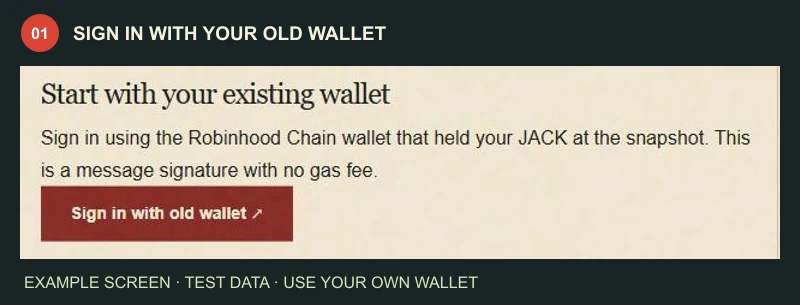
Sign in using the Robinhood Chain wallet that held your JACK at the snapshot. This is a message signature with no gas fee.
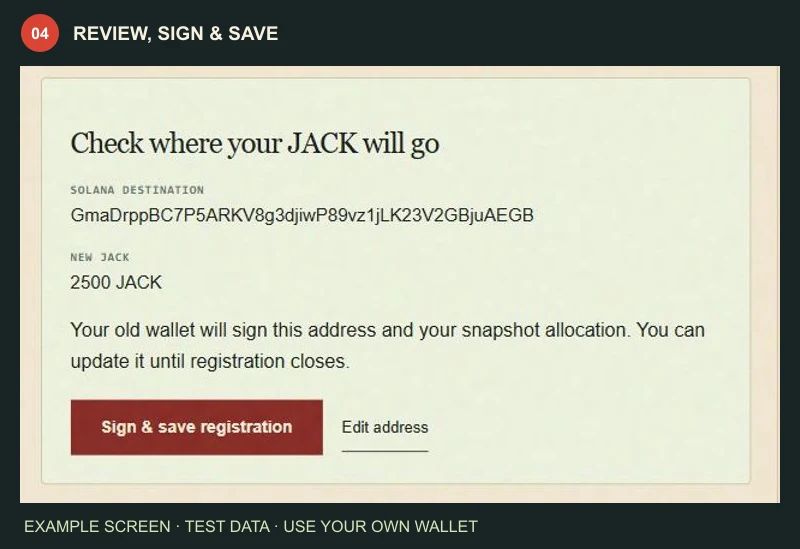
Your old wallet will sign this address and your snapshot allocation. You can update it until registration closes.
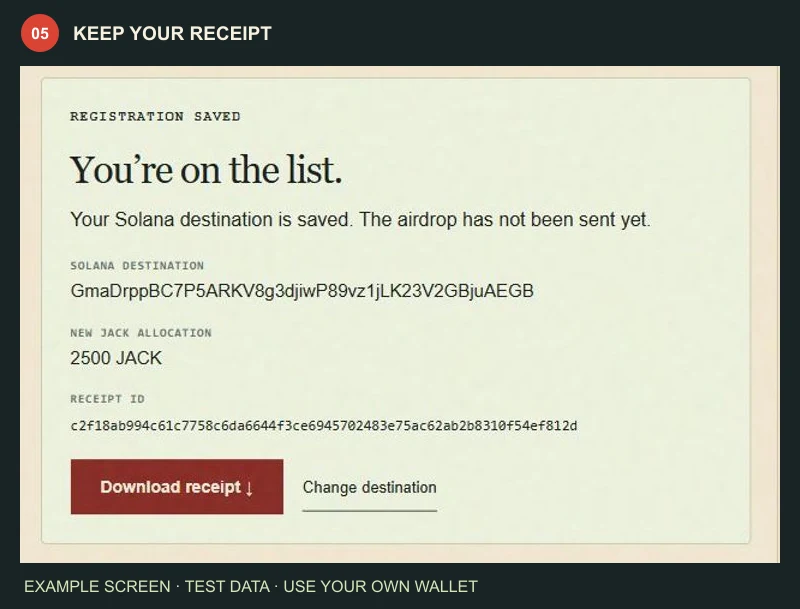
REGISTRATION SAVED
Your Solana destination is saved. The airdrop has not been sent yet.
THE HOLDER WALKTHROUGH
Your old Robinhood wallet signs. Your Solana wallet receives.
Check the live registration status above, then follow the steps below.
Open this page in the browser that has your old wallet installed. Unlock it, select the account that held JACK, then choose it in the wallet picker.
In your old wallet app, open Browser or Discover and visit belljack.world/migration.html. Keep the sign-in and registration in that browser.
Select Use WalletConnect. Scan the QR with your wallet on another device, or use a supported wallet link on the same phone. Approve the connection in your wallet.
Use a wallet that supports Robinhood Chain. If WalletConnect cannot pair or sign, use that wallet’s built-in browser or its desktop extension. A phone login code alone cannot register your tokens.
These are real dapp screens with example data. Your balance, addresses and receipt will be different. Tap a screenshot to enlarge it.
Select Sign in with old wallet. Choose the Robinhood Chain account that held your JACK at the snapshot. Approve the network prompt if shown, then sign the Belljack login message.
Already signed in? Check that the old wallet address is correct. This is the wallet that proves your holdings.
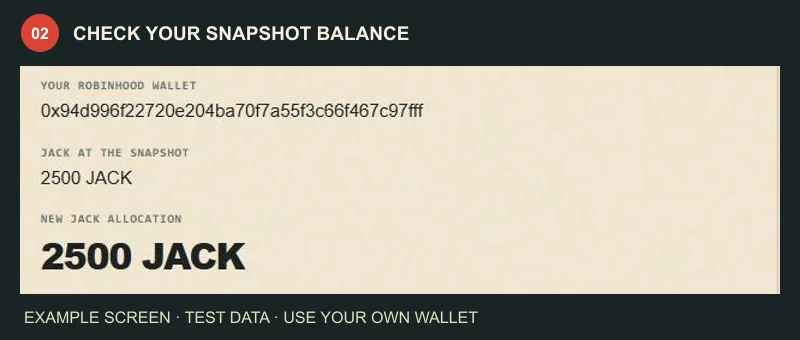
Select Check my snapshot balance. Belljack reads your old wallet’s JACK at the published snapshot block and shows your new JACK allocation at 1:1.
Check the amount. Everyone uses the same snapshot. Moving old JACK afterward does not create a second allocation.
Open your personal Solana wallet, select Receive → Solana and copy its public wallet address. Return here, enter it in both fields and tick the confirmation box.
Check every character. Use your own Solana wallet—not a token mint, token account, exchange deposit address or old 0x address. Never copy the example address.
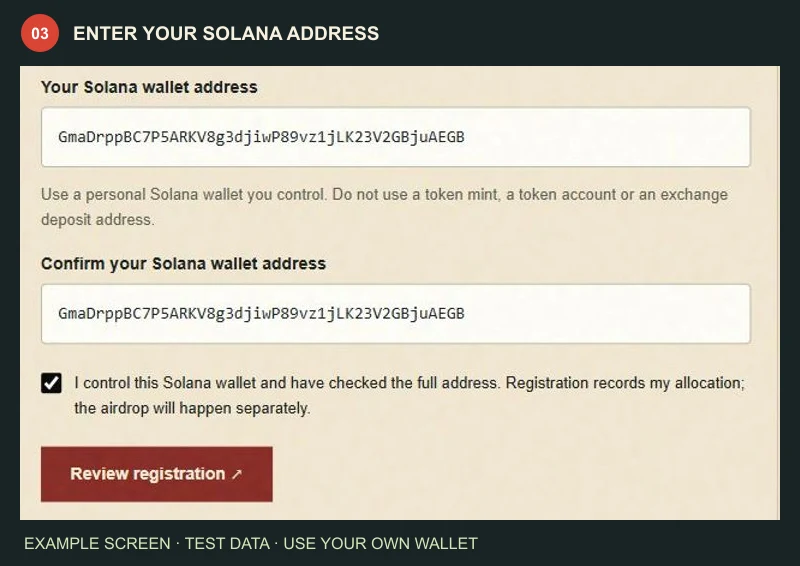
Select Review registration. Compare the full destination with your Solana wallet and check the amount. Select Sign & save registration, then sign the registration message with your old Robinhood wallet.
Asked to connect again? Reconnect the same old wallet, then select Sign & save registration again. Signing in alone does not save a destination.
Wait for You’re on the list. Select Download receipt and keep it. You can return to this page and sign in with the same old wallet to check your registration.
Need to correct the destination? Before registration closes, select Change destination and repeat the review and signature. The latest saved destination replaces the previous one.
Registration is not the airdrop. Tokens are distributed separately; a saved receipt does not mean tokens have been sent.
No gas payment to register. The login and registration use message signatures. No token approval, transfer or burn is needed. Never enter a seed phrase or private key.
Zero balance or a failed check? Confirm the old account and snapshot rules. A failed lookup is not proof of a zero balance; use Refresh and try again. Don’t move tokens to retry.
More than one old wallet? Sign in and register each eligible old wallet separately. Each needs its own signature and saved receipt.
Still stuck? Use the official contact links below. Never send anyone your wallet recovery words.